Environments
An environment binds a pipeline to a concrete source database, a concrete CDM target database, and a set of runtime knobs. A pipeline can have many environments — typically at least one for development (CSV target, fast feedback) and one for production (postgres or similar).
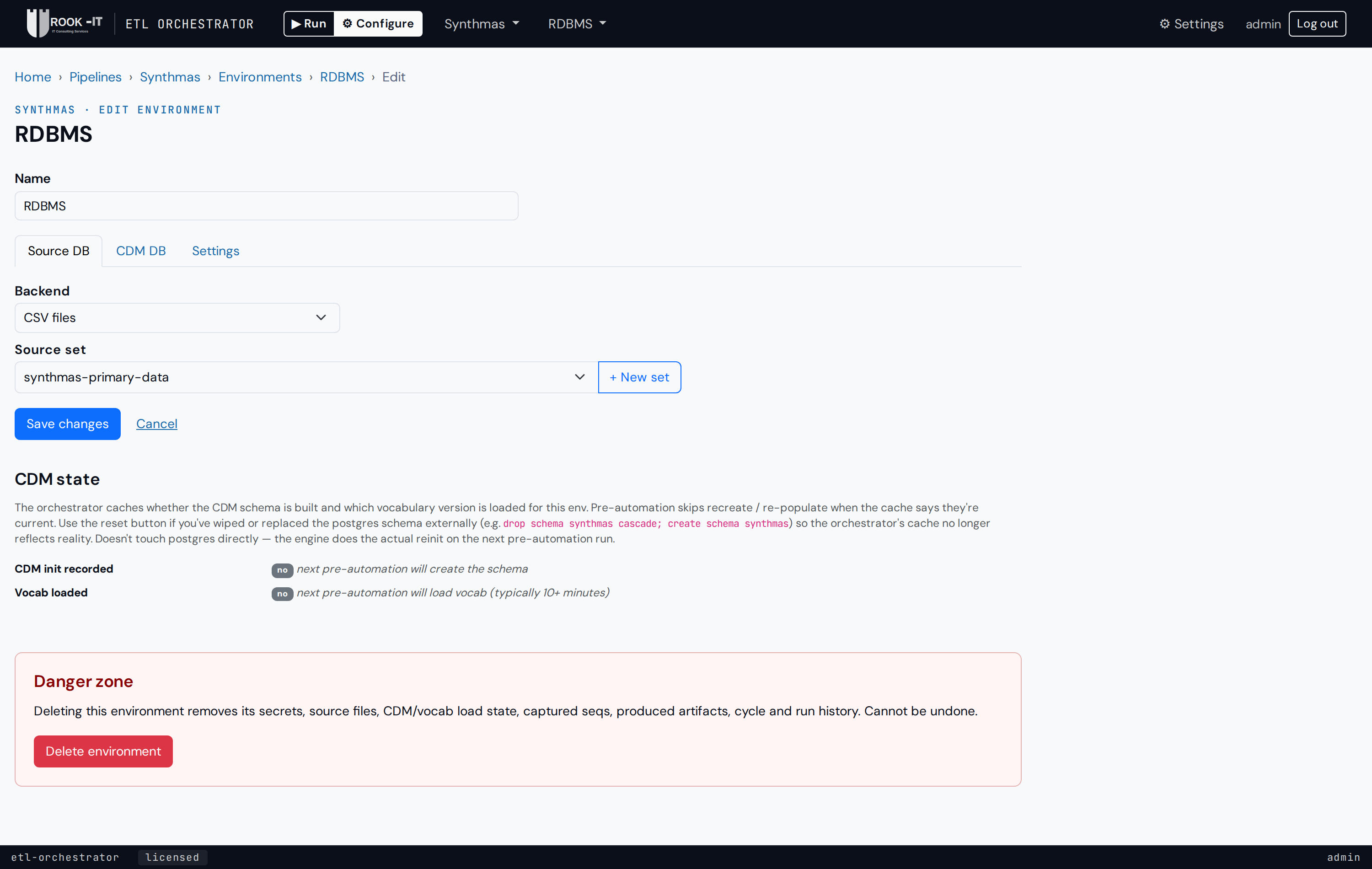
Source database
| Backend | Use when |
|---|---|
| CSV | Your source is a folder of CSV files (Synthea, an upstream extract). You upload them as a "source set" on the pipeline; the env picks one to read from. |
| PostgreSQL / MariaDB / SQL Server | Your source lives in a real database. Provide host / port / db / schema / user / password. |
The engine adapts its read path to the backend; mappings (RiaHs) don't care.
CDM database
Same backends. Choose by audience:
- CSV when you want to inspect output as files (per-table CSVs land
under
/var/lib/orchestrator/csv_cdm/<env_id>/). Good for demos, quick correctness checks, and cross-checking an RDBMS env's output for free (the CDM tables are row-for-row identical on engine 1.4.1+). - PostgreSQL (and friends) when you want referential-integrity enforcement at write time, and a target that downstream OHDSI tools (Atlas, HADES, the Data Quality Dashboard) can connect to as-is.
Runtime settings
| Setting | Default | Note |
|---|---|---|
| Log level | info |
Engine spdlog level. debug is verbose but useful when investigating mapping issues. |
| Vocab cache size | 10000 |
In-memory cache of resolved concept IDs. Bump for large vocabularies / wider data. |
| Max CDM connections | 50 |
Size of the engine's postgres connection pool. Match to what your postgres allows. |
| Worker threads | 10 |
Number of engine worker threads per step. Rule of thumb: max CDM connections + CPU cores — threads block on DB writes, so over-subscribing CPU is fine as long as connections are available. |
| Engine image override | empty | Pin a specific engine release for this env (otherwise the pipeline default is used). |
Secrets
Database passwords are encrypted at rest with your login password (field-level encryption). The orchestrator never persists your login password — instead the first action that needs a secret in a session prompts you to re-enter it, then caches it in memory for the rest of the session.
If you forget your login password, the encrypted secrets are unrecoverable — you'll re-enter the connection passwords once and move on. Everything else (pipeline config, env settings, run history) is unaffected.
Re-using config across envs
When you've built one env, you can Save it (.etloenv file) and
Load elsewhere. See Save / Load for the details +
what's included/excluded.