Synthmas — the location table
We start with location because it forces every interesting case the
engine has to handle: multiple source tables feeding one CDM table,
type mismatches, normalisation, and hard-coded fields.
Step 1 — the simplest possible mapping
The simplest mapping is one source table to one CDM table, drawn as a single arrow in Rabbit-in-a-Hat:

This makes the engine copy providers.csv records into the location
table, on the condition that all required CDM fields have a mapping —
more on that in a moment.
A close cousin is the one source, multiple CDM tables shape — also visual, also rule-free:
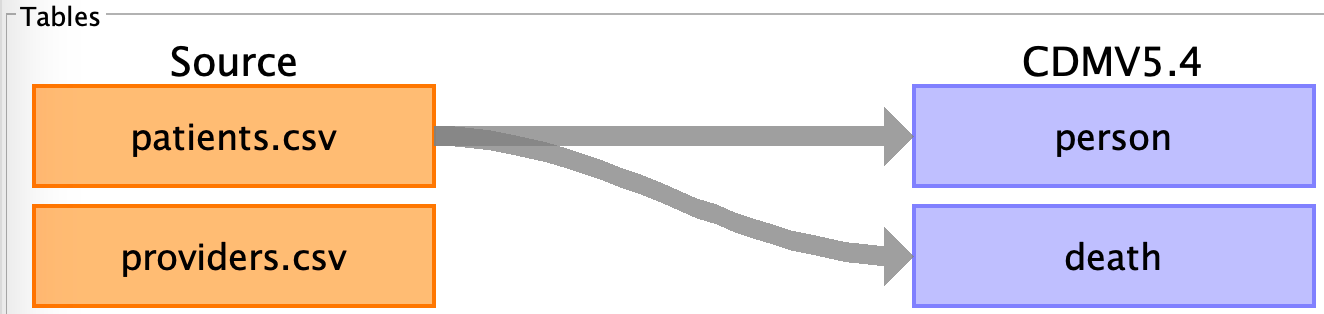
The mapping in the figure above sends patients.csv to both person
and death. Even though most patients have not died, the mapping must
still exist so that those who have are mapped — gating "alive vs dead"
happens in field rules, not at the table level.
Step 2 — multiple sources to one CDM table
The opposite shape — several source tables into one CDM table — is where the engine starts to need help. Synthmas has location-shaped data scattered across several source tables:
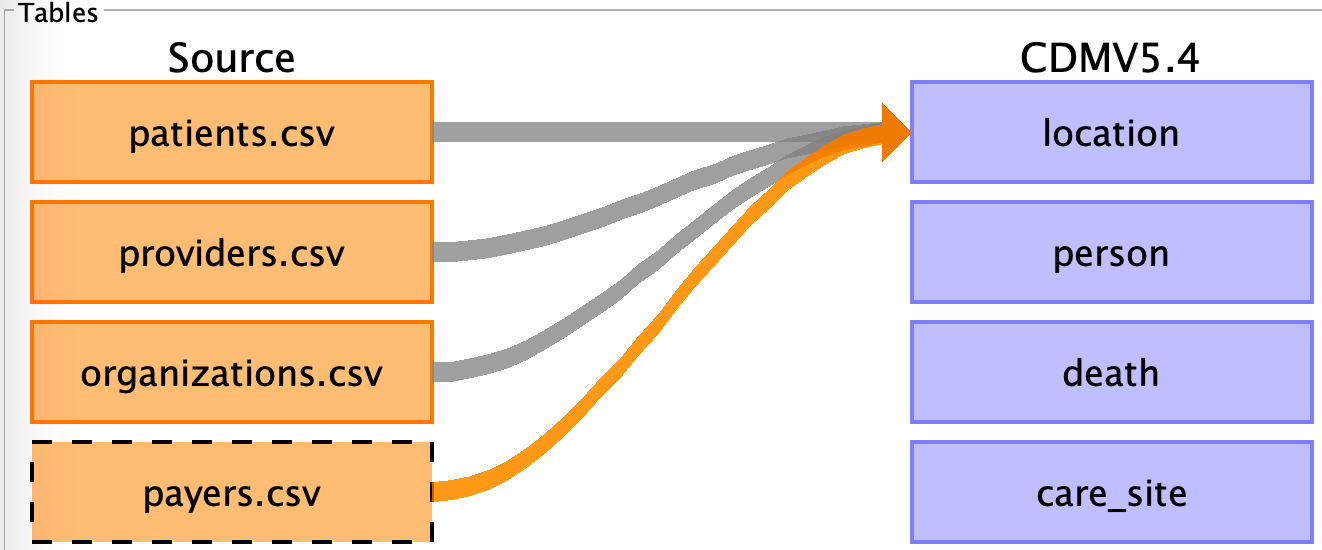
Without any further configuration, the engine would simply concatenate
records from all four source tables into location. That produces
duplicates, because providers and organisations frequently share
addresses, and the same address appears repeatedly across rows of
providers.csv.
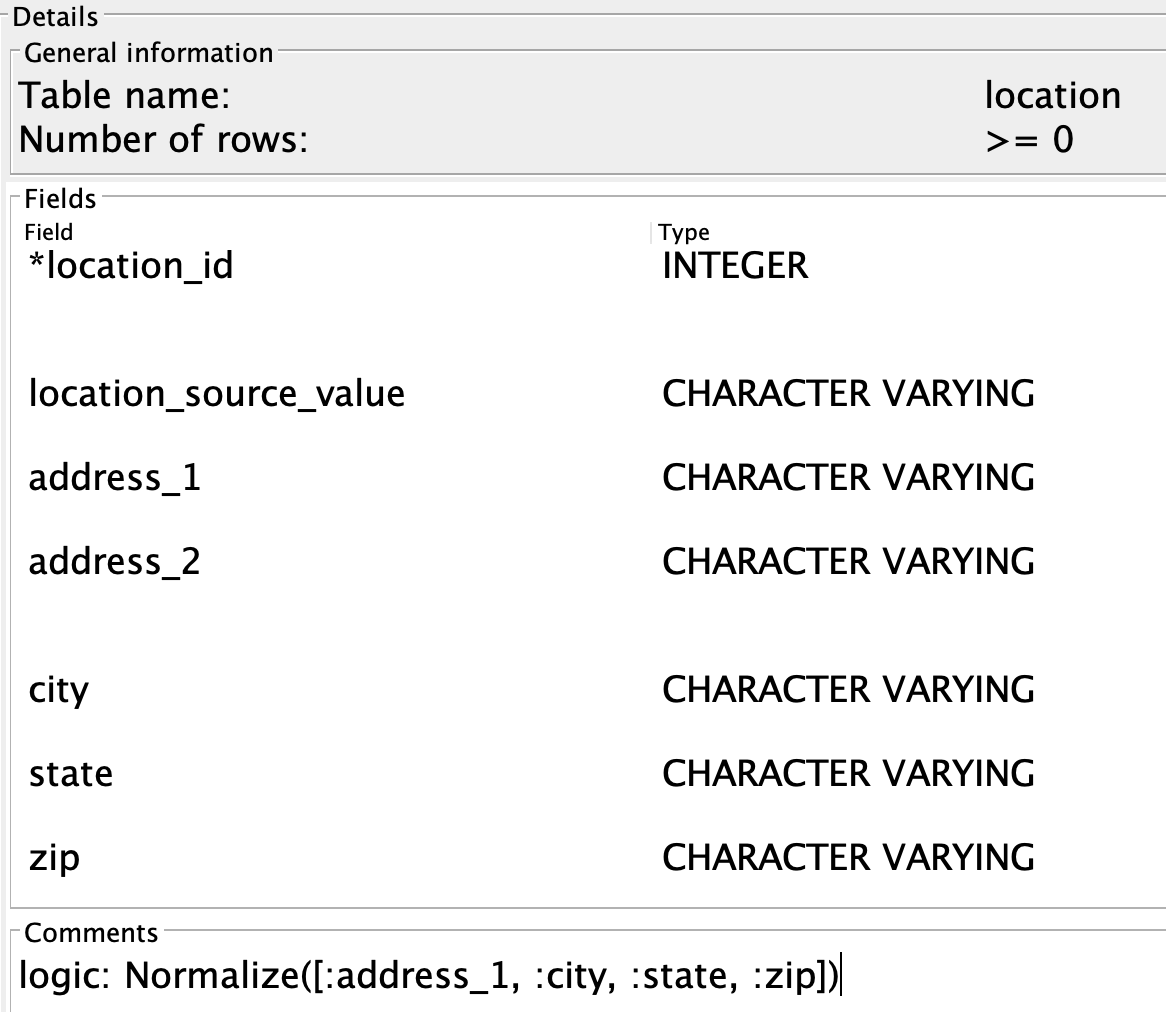
The fix is the Normalize
table rule. Normalize builds a unique-key index on the location
table; new records that match an existing key on those fields are
silently dropped.
Add it to the Comments field of the CDM location table, prefixed
with logic: (since that field is normally for free-form comments,
the prefix tells the engine that what follows is a rule):
Normalize is useful even when only one source table feeds location
— providers with the same office share an address.
Where rules can live on a CDM table
The Comments field of any CDM table accepts table-level rules
(with the logic: prefix) — see
Appendix B → Table rules.
The arrow from a source table to a CDM table also accepts
rules — see
Appendix A → Filter rules.
Step 3 — joins between source tables
Sometimes the records from several source tables need to be combined
before they enter the CDM. That's what
Join and
LeftJoin are for. They
work like SQL joins — the syntax is different but the semantics are
the same. They can be nested by giving the joined result a name and
referencing it from a later Join / LeftJoin.
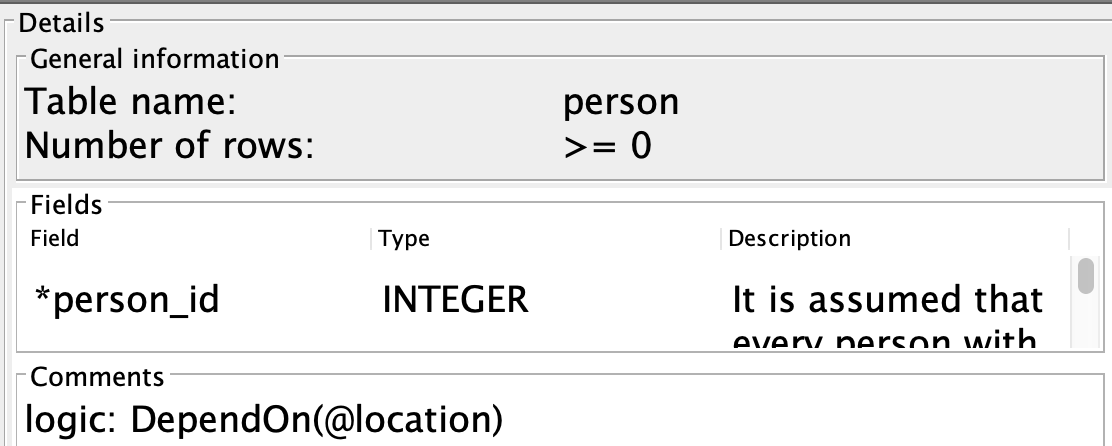
Step 4 — declared dependencies
When the engine cannot infer a load order from the Rabbit-in-a-Hat
arrows alone — typically because a CDM table has a foreign key into
another CDM table that is not visible to the engine — use
DependOn:
Cyclic dependencies
DependOn lets you build a cycle between CDM tables. The engine
does not break cycles — review your DependOn rules carefully.
Step 5 — static records
Some CDM tables hold a fixed set of rows that are not derived from the
source data — cdm_source is the canonical case, with a single row
describing the data source itself. Use
InsertRecord:
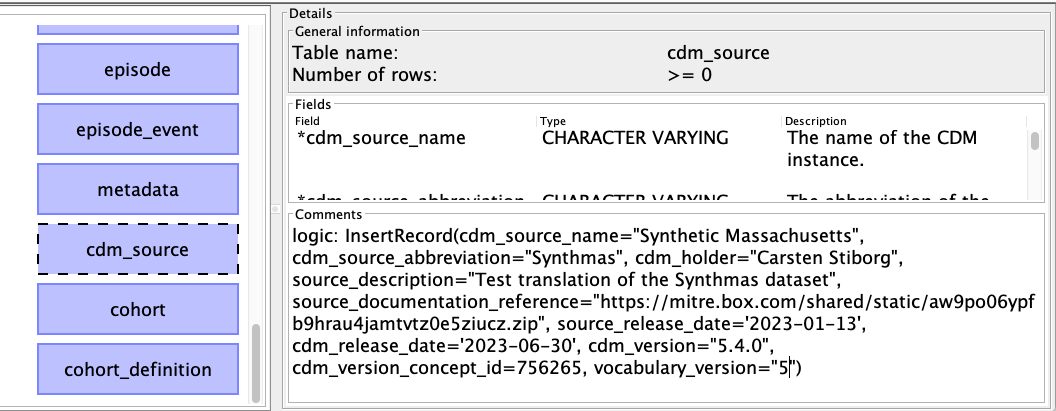
logic: InsertRecord(
  cdm_source_name="Synthetic Massachusetts",
  cdm_source_abbreviation="Synthmas",
  cdm_holder="Rook IT ApS",
  source_description="Synthmas dataset translation",
  cdm_release_date='2023-06-30',
  cdm_version="5.4")
Every non-nullable field on the table must be supplied as a
field=value keyword parameter.
Step 6 — a virtual field
Virtual fields are CDM-table fields that exist only inside the engine.
They never get written to the destination database, but rule chains
can read and write them like ordinary fields. Declare one with
field: instead of logic: in the CDM table's Comments field:
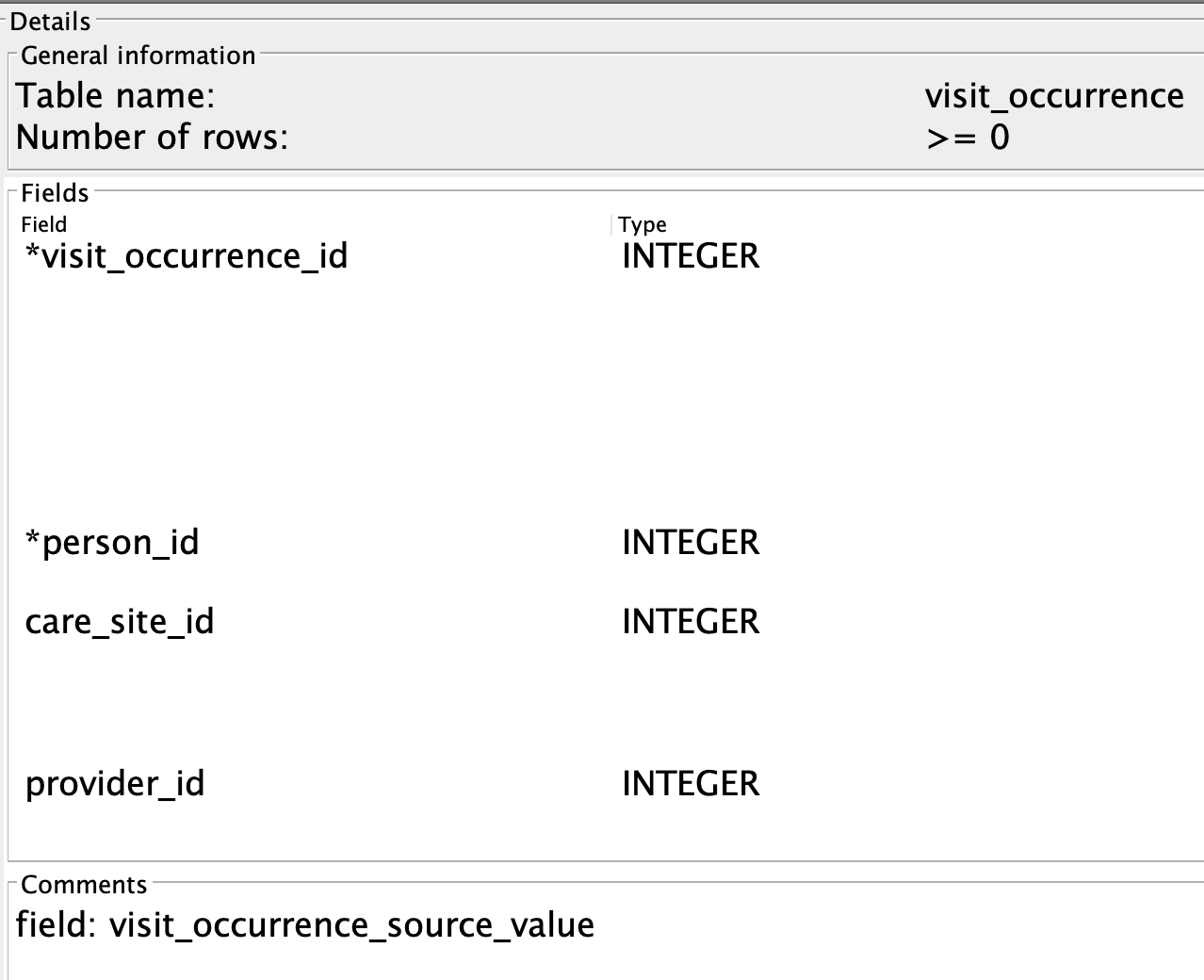
The text after field: becomes the field name. Above we declare a
visit_occurrence_source_value field on visit_occurrence —
useful because CDM 5.4's visit_occurrence is the only table without
a built-in *_source_value field for its primary key.
For more on virtual fields, see DSL Guide → Virtual Fields.
Step 7 — minimal field mapping
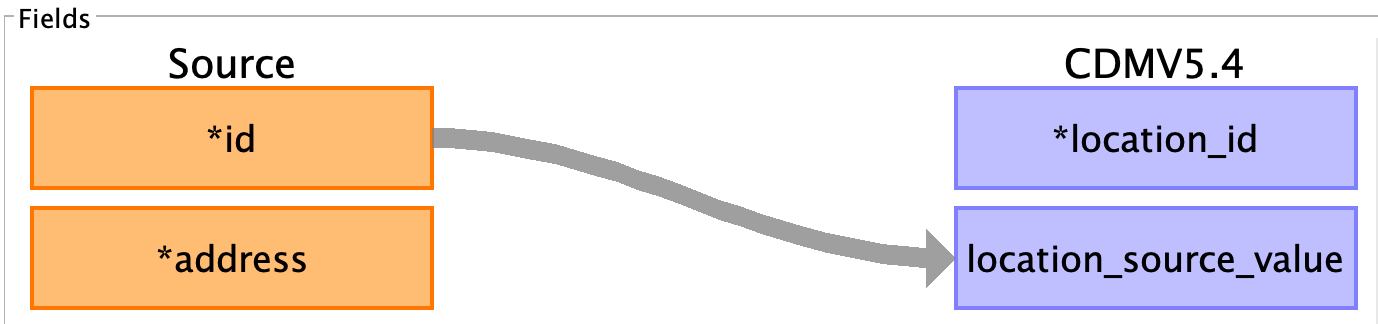
Now that the table-level scaffolding is in place, we wire up the fields. The minimum requirement is that every non-nullable CDM field has some mapping — anything else (the optional fields) can be omitted.
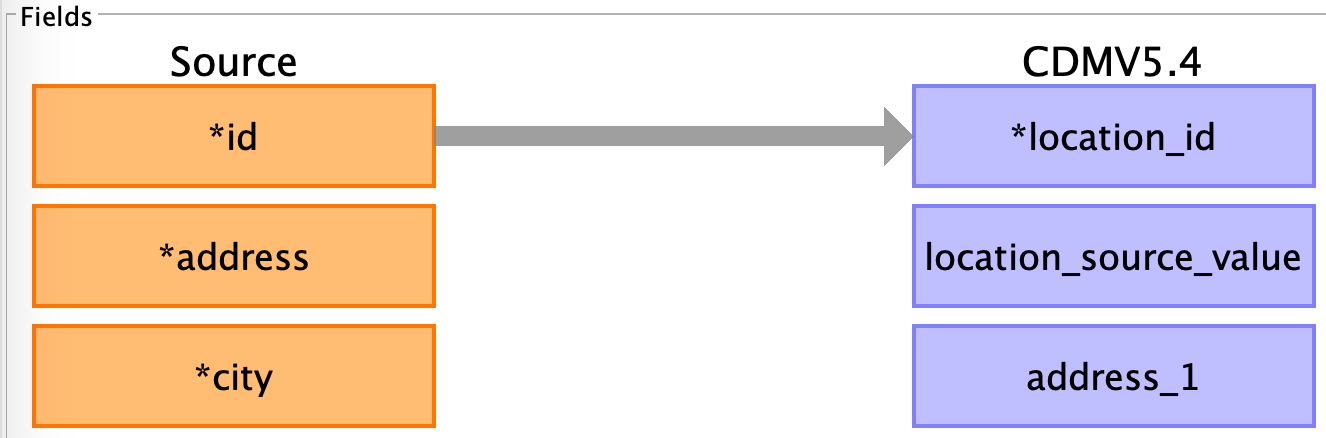
In the figure above, id (source) is mapped to location_id (CDM).
This won't actually work — and looking at the source schema tells
us why:

The source id is a UUID string, while CDM location_id is an
integer. We have two options:
- Map the UUID to a different CDM field —
location_source_valueis a string and exists for exactly this purpose. Then generate a fresh integerlocation_id. - Refuse to map the row.
Option 1 is the standard pattern. It also generalises to the case
where multiple source tables have IDs that aren't unique across them
— prefix or postfix the source ID with a table identifier before
storing it in location_source_value, then generate an integer
location_id independently.
The integer comes from
AutoGenId — added
to the Comments field of the CDM location_id field with the
logic: prefix:
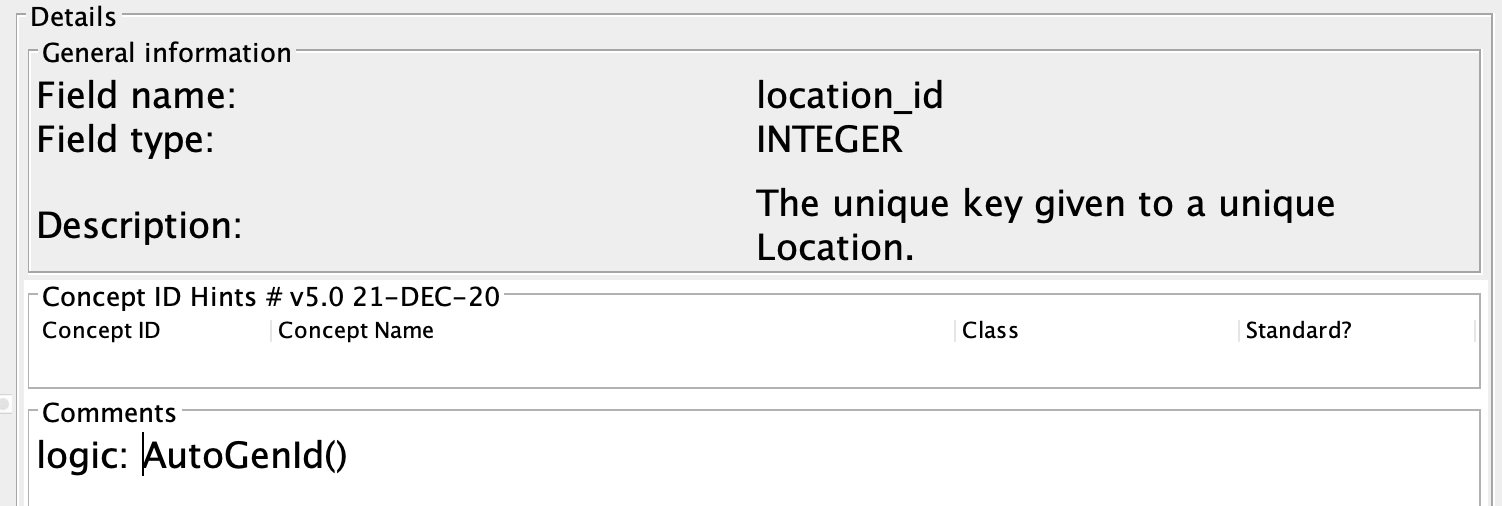
AutoGenId issues a fresh, monotonically increasing integer for every
row that reaches it. Combined with the source UUID stored in
location_source_value, every row of location now has a unique CDM
key plus the original source identifier preserved for traceability.
Step 8 — type-safe field mapping
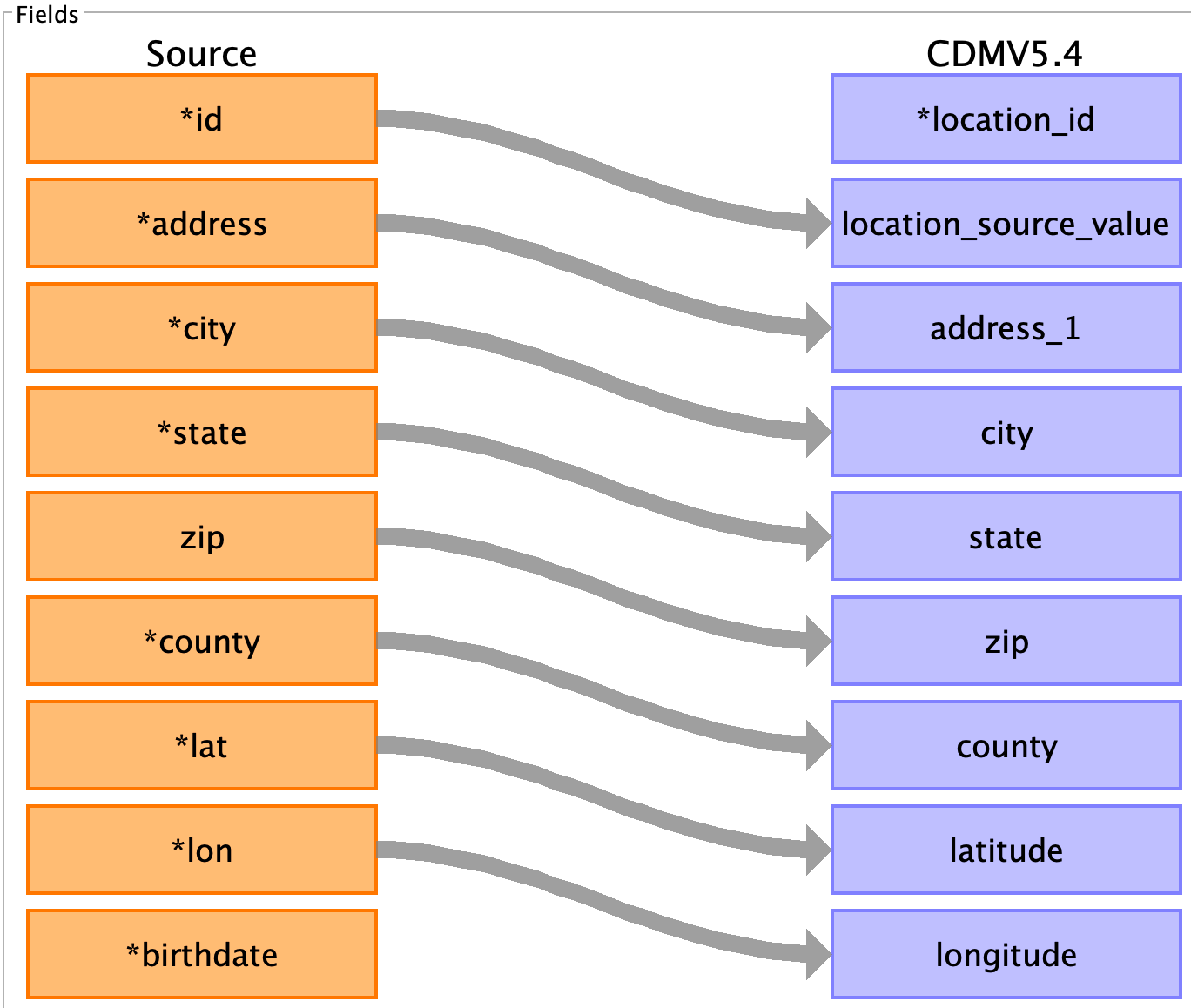
Most field-to-field mappings will work out of the box if the source
and CDM types match. For Synthmas's location table, two mappings
need work:
zip→zip— source is integer, CDM is string. We also want to pad short zip codes with leading zeros and cap the length.state→state— source is the full state name ("Massachusetts"), CDM is a 2-character code.
Zip: cast and pad
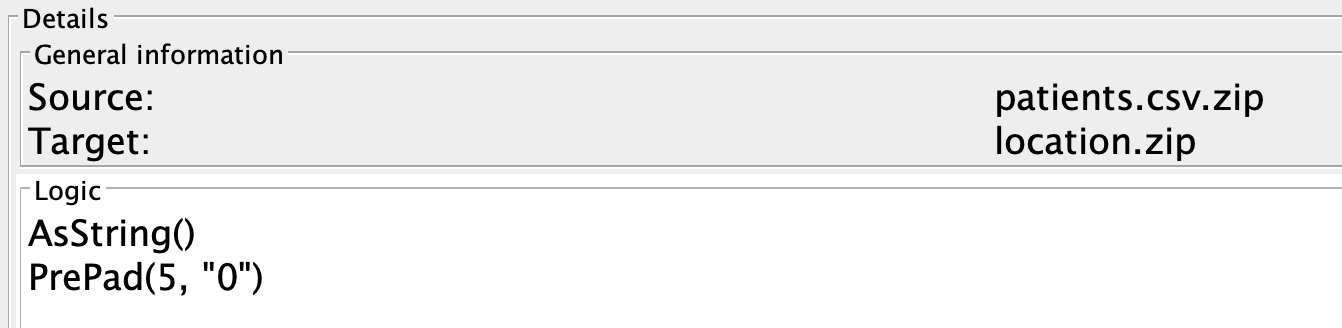
The CDM zip field is a string of up to 9 characters. US zip codes
are at most 5 digits without routing info, but a leading zero might
be missing if it was stored as an integer. So: cast to string, then
pad with leading zeroes to length 5 if shorter.
This goes on the field-to-field arrow, in a logic block:
Inside a logic: block on a field-to-field arrow, no logic: prefix
is needed on each line — the block itself is the prefix.
Zip: a defensive normalisation on the CDM field
The CDM zip field is a string. The Synthmas source has zip codes in
mixed formats — some are bare 5-digit codes, some are the routed
12345-6789 form, and the patient-table version is stored as an
integer that loses any leading zero. We're not going to fight the
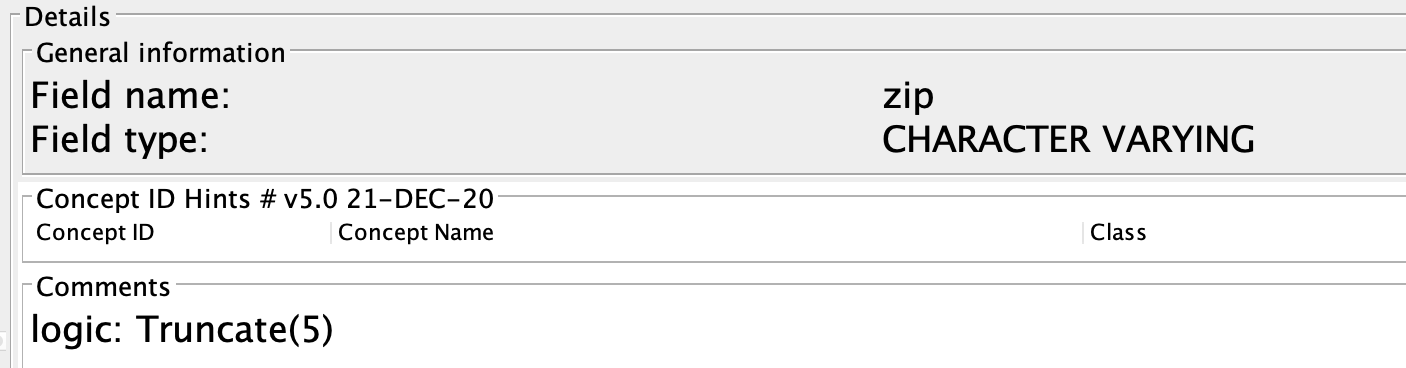
data: just truncate to the canonical 5-digit form on the way in.
A Truncate rule
directly on the CDM zip field applies to every incoming value,
regardless of which source table it came from:
This is also the difference between a rule on a map and a rule on a field. A rule on a map applies to one specific source-to-CDM transition; a rule on a field applies to every value that ends up in the field, no matter where it came from.
State: vocabulary map
Mapping "Massachusetts" → "MA" is a static lookup. Multiple source
tables feed state, and most use the two-letter form already. So the
mapping goes on the source-to-CDM arrow that needs the conversion,
not on the field itself:
Step 9 — hard-coded fields
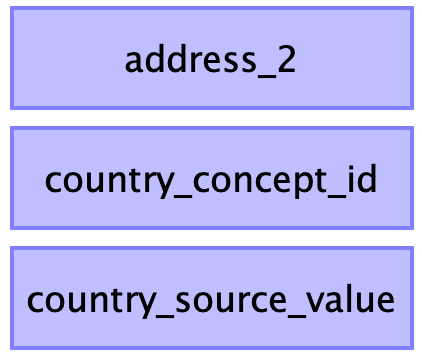
After mapping the source fields, three CDM fields remain unmapped:

country_concept_id, country_source_value, and latitude/longitude
are not present in the Synthmas source. None are required, so leaving
them out is fine — but we know every Synthmas address is in the US,
so we may as well hard-code country_concept_id.
A hard-coded value goes on the target field itself. There is no
field-to-field arrow into country_concept_id; the rule is the
mapping:
42046186 is the OMOP standard concept id for the United States,
found via Athena. Pair it with a
matching country_source_value so the original string is preserved:
Recap
The location table now has:
- a
Normalizerule on the table for de-duplication, - field-to-field arrows where source and CDM share a type,
AutoGenIdonlocation_idfor fresh integer keys,- the source UUID preserved in
location_source_value, AsString+PrePadon the zip-to-zip arrow,- a defensive
Truncate(5)on the CDMzipfield, Map(...)on the state-to-state arrow,SetValue(42046186)oncountry_concept_idand a matchingcountry_source_value.
That's the location table done. The person table is next, and adds vocabulary mapping, date deconstruction, and a cross-table lookup on top.