Synthmas — useful patterns
The location and person tables covered the bread and butter. This page collects a few patterns that come up repeatedly in real ETLs: vocabulary lookups against the OMOP standard vocabulary, Usagi-based mappings for non-vocabulary terms, and conditional chaining when several lookup strategies need to be tried in priority order.
Pattern 1 — vocabulary lookups for known codes
Synthmas's devices.csv has a code column with SNOMED codes
identifying each device (often a defibrillator). We want the CDM
device_concept_id to hold the OMOP standard concept id for that
SNOMED code, and device_source_concept_id to hold the OMOP concept
id for the SNOMED code itself.
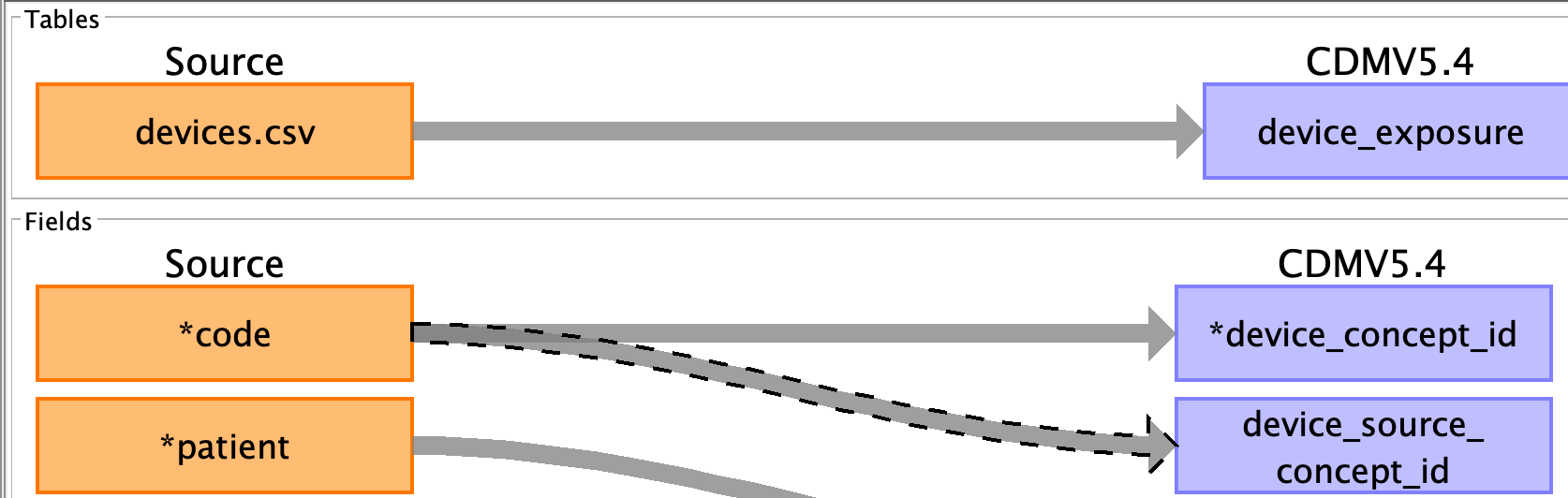
The SNOMED code is stored as an integer, so we cast to string first, then look it up:
For device_concept_id (the standard concept id):
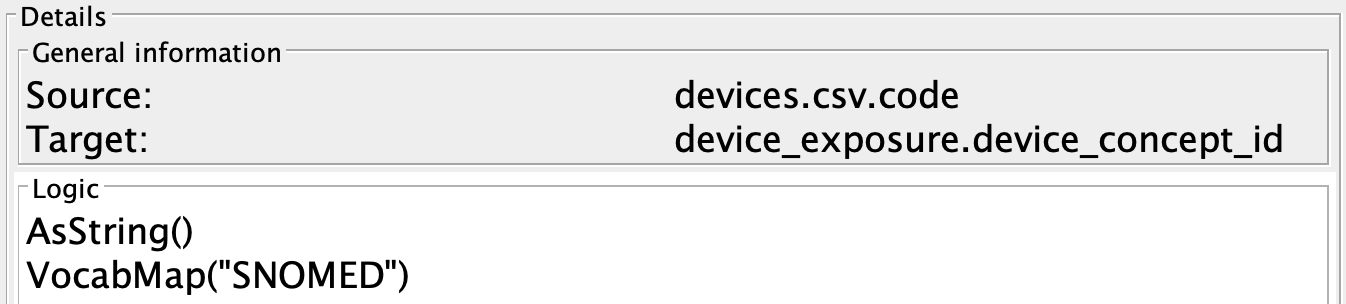
For device_source_concept_id (the original SNOMED concept id):

VocabMap returns the
standard concept id mapped from a vocabulary code; if the SNOMED code
maps to a non-SNOMED standard, you get the cross-walk for free.
VocabSourceId
returns the OMOP concept id of the source code itself, which lets the
CDM remember "this came from SNOMED 12345" without having to store
the SNOMED string.
Pattern 2 — Usagi for codes the vocabulary doesn't have
Sometimes the source data has codes (or, more often, free-text strings) that aren't in any standard OMOP vocabulary. The OHDSI solution is Usagi: a tool that helps a domain expert curate a CSV mapping from source strings to OMOP concept ids.
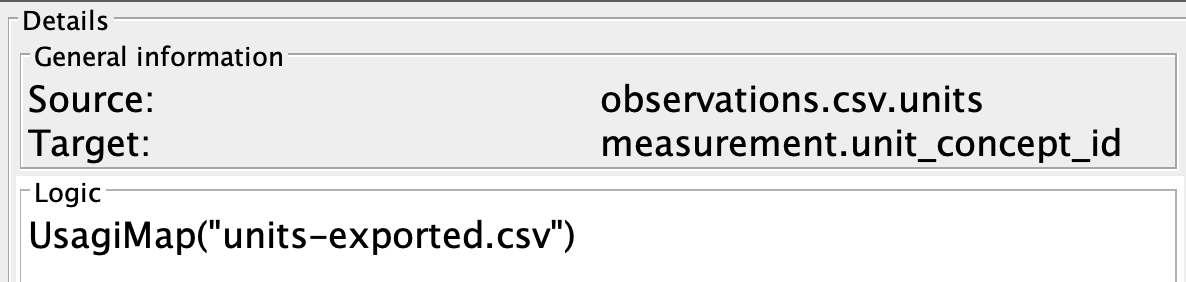
Synthmas's observations.csv has a units column with strings like
"mg/dL". The CDM observation.unit_concept_id is an integer — so
those strings need a Usagi map.
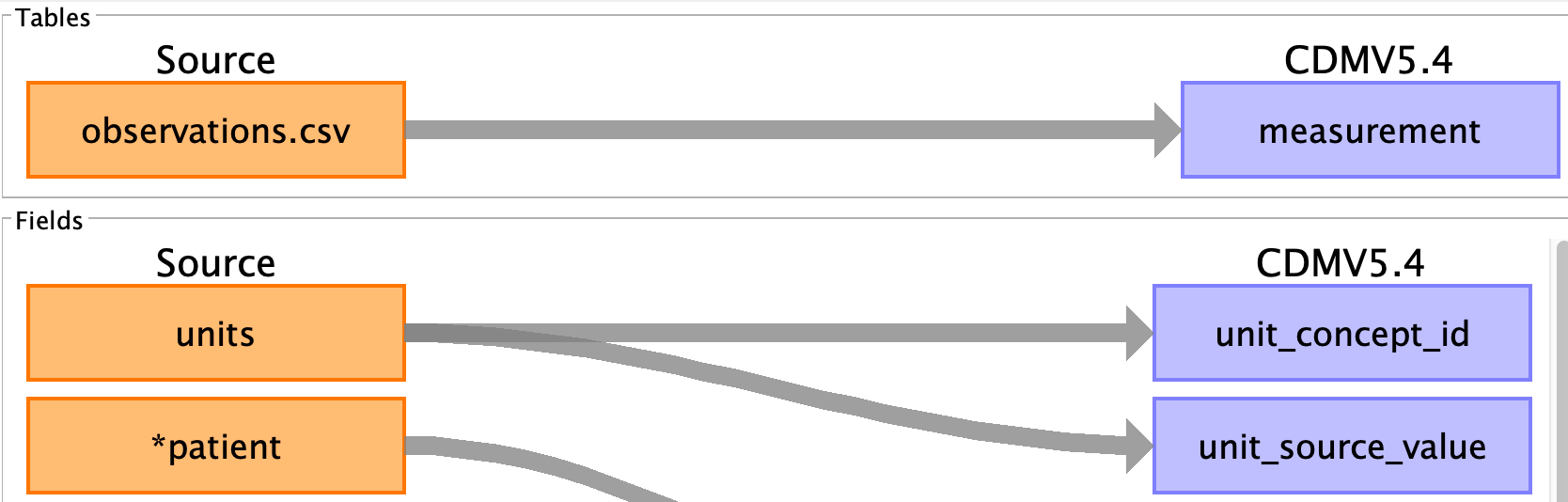
The Usagi process produces a CSV file with columns like
sourceCode, targetConceptId, etc. Drop it into
etc/etl-engine.d/usagi/
and reference it with
UsagiMap:
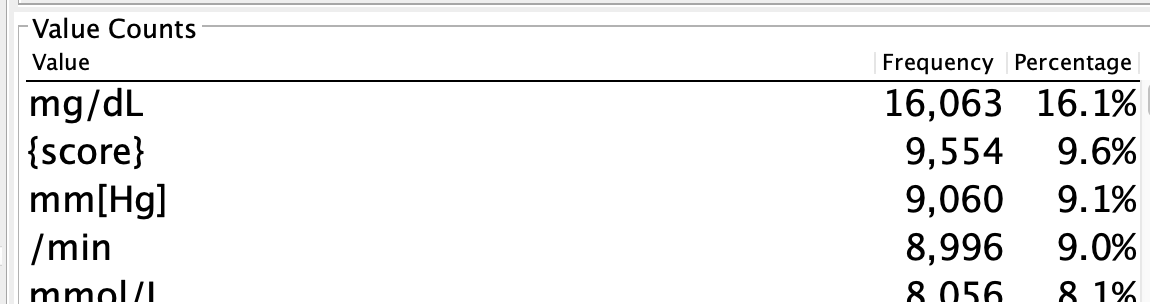
UsagiMap is also the right tool when the source string lives on a
different table from the CDM row being built — see
payer_plan_period in the derived-tables page
for the multi-table-join version (payer_transitions.csv drives the
rows, payers.csv is brought in by an explicit LeftJoin at the
CDM-table level to provide the name string the Usagi lookup uses).
Pattern 3 — pre-map then vocabulary
Sometimes a small set of source codes are missing from the vocabulary
but you know what they should map to. The cleanest fix is to add a
Map before the
VocabMap, replacing the missing codes with codes the vocabulary
does have:
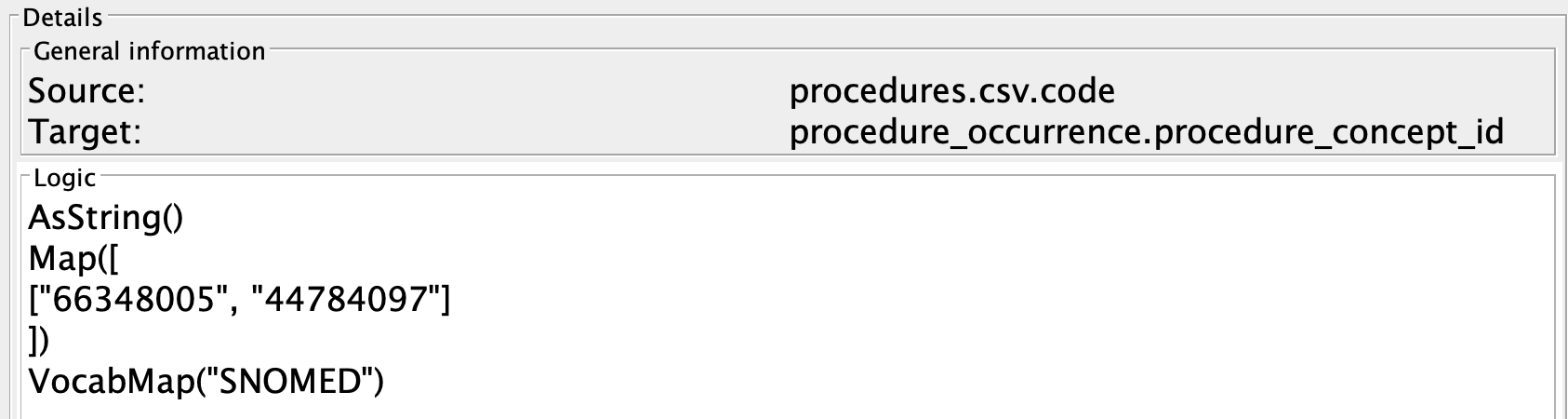
The pre-map only fires for the listed values; everything else passes
through to VocabMap unchanged. If the pre-map's output doesn't have
to itself live in the same vocabulary as the VocabMap argument,
you've reached the limit of this pattern — use conditional chaining
(below) instead.
Pattern 4 — Map with Selector, the verbose form
When the pre-map approach doesn't fit, you can run two independent maps into separate variables and pick whichever one succeeded:
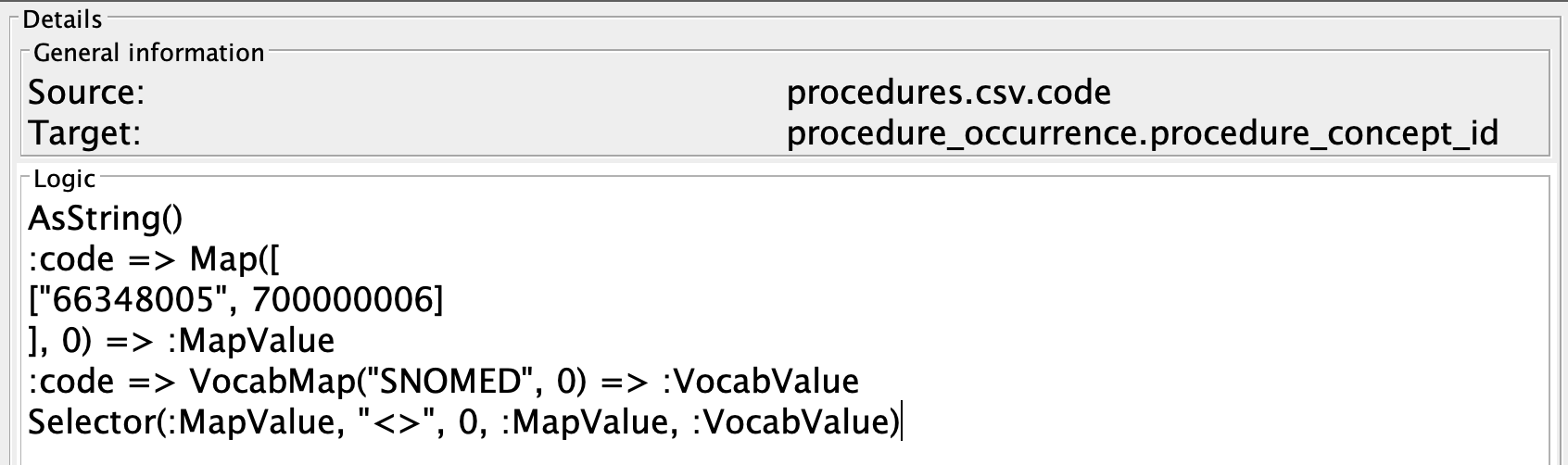
:source_code => Map([..., 0])      => :hand_curated
:source_code => VocabMap("ICD10")  => :vocab
Selector(:hand_curated, "!=", 0, :hand_curated, :vocab)
This works, but it's verbose, and the
Selector line is
easy to get wrong. Conditional chaining is shorter and faster.
Pattern 5 — conditional chaining (||)
The same logic as pattern 4, written with ||:
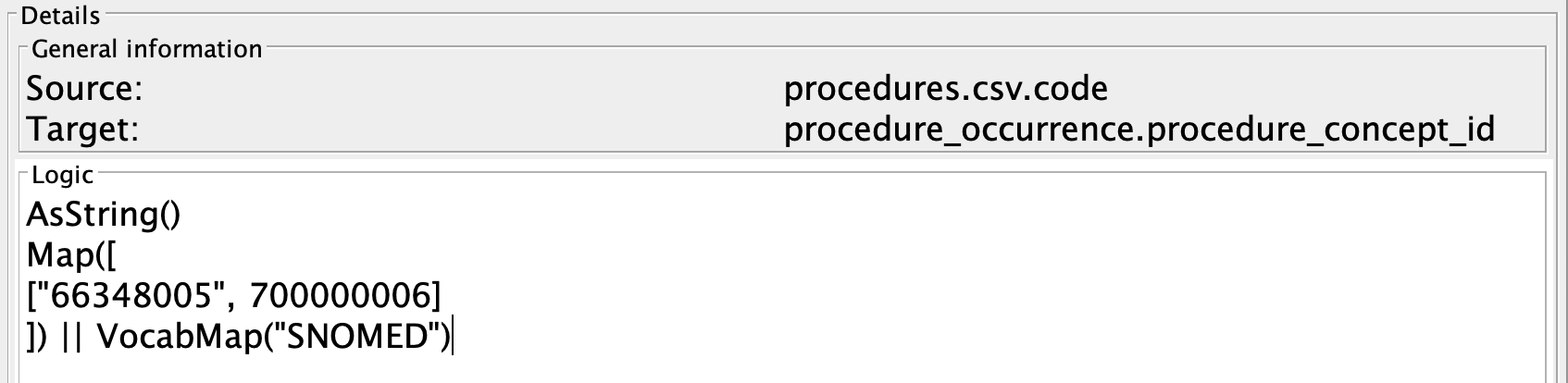
If the first rule fails to produce a mapping (the default is null
unless you supply one), the second runs against the same input. The
chain can be any length:
The final entry can be a Map with a default value as a catch-all
that guarantees a successful mapping no matter what came in.
See DSL Guide → Conditional Chaining
for the full mechanics — in particular, which rules support ||
chaining (mapping rules: most do; aggregating rules: only some).
What's next
You now have the toolkit:
- table mapping with
Normalize,Join,DependOn,InsertRecord, - field mapping with type casts, padding, defaults, asserts, and date deconstruction,
AutoGenIdandGetCDMTableIdfor ID management,VocabMap/VocabSourceId/UsagiMapfor vocabulary lookups,- conditional chaining with
||to combine them.
For more on any individual rule, see the Rule Reference. For the full language grammar, see DSL Guide → Mapping Language Syntax.
If you have a worked example of your own that's worth writing up,
follow the same shape as Synthmas: an index.md overview, one page
per CDM table that's interesting, and a closing useful-patterns
page. See Examples → Adding new examples.